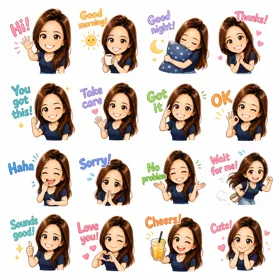
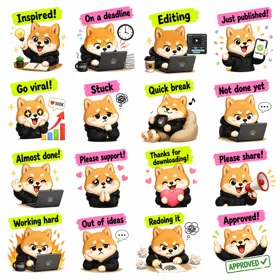
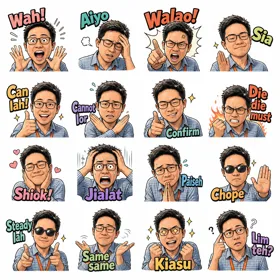
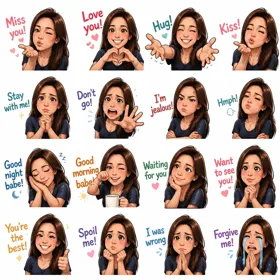
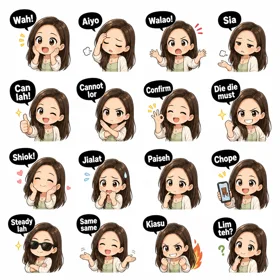
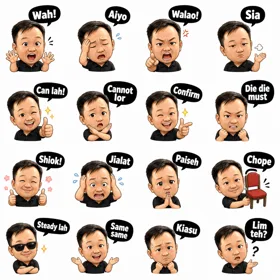
Prompt patterns I've actually tested with ChatGPT, Midjourney, Sora, and Gemini. The point isn't to copy them word-for-word — it's to give you a working template you can adapt to whatever character or style you want.
Three things matter more than the rest:
A 3×3 grid of nine illustrations of [your character description]. Each cell shows the same character with a different facial expression: happy, sad, angry, surprised, thinking, sleeping, laughing, crying, winking. Clean white background behind every cell. Even spacing between cells. Flat illustration style with soft shading. No text, no labels.
A 3×3 grid of nine reaction illustrations. [Character description]. Cells: thumbs up, thumbs down, confused, eye-roll, mind-blown, heart-eyes, side-eye, deadpan, applauding. Pure white background. Each cell roughly equal size. Bold linework, simple colors.
A 4×4 grid of sixteen [theme] objects, each centered in its own cell. Examples: [list 4-6 specific objects you want]. White background throughout. Even cell sizes. Vector-style flat illustration with clean outlines. No text or labels.
For animated stickers, you want a sheet where each row or column is one frame in the sequence. Most image models can't render true animation, but they can lay out a sprite-sheet.
A horizontal sprite sheet showing the same [character] in four poses across one row, left to right: [pose 1], [pose 2], [pose 3], [pose 4]. The poses should connect smoothly so they play as a 4-frame animation. White background. Even spacing. Same character, same colors, same lighting in every frame.
Then in GridSticker, set Slice mode to "Animated" and the app reads each cell as a frame.
Pick a style and an emotion. The prompt rewrites itself with rendering specs for the style and frame-by-frame specs for the expression. Copy it, paste into your AI image model, and feed the output into GridSticker's animated mode.
Strong at grid layouts when you say "grid" explicitly. Tends to add filename labels under cells if the prompt mentions "sticker pack" — avoid that wording. Good for character expression sheets.
Add --ar 1:1 for square output (matches sticker dimensions). Mention "white background" multiple times if it slips into colored backgrounds. --style raw can help reduce stylization for cleaner shapes.
Handles animated sprite sequences better than most because it understands temporal coherence. Try asking for "4 sequential frames of the same character, side by side."
Strong on flat illustration styles. Ask for "vector illustration" or "flat design" explicitly. Good consistency across cells in a single grid.
Don't fight it — open the sheet in GridSticker and drag the dividers manually. Smart Slice picks up most variations automatically; for the rest, per-cell drag handles it. See grid customization tips.
If it's close to white but slightly off (cream, eggshell, very light gray), just bump the tolerance slider in Remove BG mode. If it's a real color, switch to Smart subject mode.
Add "no text, no labels, no captions" to your prompt. Some models still slip; if so, the erase brush in GridSticker cleans them off.
Per-tile fine-tuning. Tap into the bad tile, adjust outline width or tolerance just for that one. The other tiles stay untouched.